For many trying to conceive women, the more you know your ovulation pattern, the easier and sooner you can get pregnant. But your time is limited and ovulation tracking can be time-consuming and sometimes confusing.
Where can you find a simple-to-use, easy-to-read, quick-to-know ovulation tracker?
The answer is the Premom Ovulation Test Digital Reader!

How to use Ovulation test kit on Premom App?
How to use easy@Home ovulation test kit

Easy to Read

Understand Low, High, and Peak Ovulation Test Readings
Premom automatically reads and interprets your ovulation test results with low, high and peak. Upload the test image for immediate results of your fertility status in real-time.

Women’s hormonal patterns are complicated, and each woman’s luteinizing hormone (LH) peak level is different. Some women even have multiple peaks, but only one peak is the true peak before ovulation.
Fortunately, women can find their true ovulation test peak by tracking the consistent LH drop that follows the peak result. Premom does this for you. It will recognize the first peak when the next ovulation test line becomes lighter again after the darkest test result. When another LH surge comes with a higher level, it will override the previous peaks in the same cycle.
Scrolling up and down, you see a quick view of the LH progression throughout your whole cycle and from one cycle to the next.
No matter how complicated your LH pattern, Premom makes it simple.
Is Premom App Accurate?
Premom is accurate for women with both regular and irregular cycles. The app provides a predicted ovulation day from the start, however the app will adjust its predictions based on the data you log from your ovulation tests and basal body temperature results. The more information you provide, the more accurate Premom’s predictions become.
We say give Premom just three menstrual cycles as a ‘learning period’ to get to know your cycles. Consistency matters when trying to find ovulation and hormone patterns, so the more consistent you are with logging information the faster Premom will understand you!
Studies have shown that using ovulation tests with a smart ovulation tracker app can increase your chances of pregnancy by two menstrual cycles compared to those who do not use ovulation tests. By uploading ovulation tests, basal body temperature records, and your period start and end dates, Premom can better understand your body.
Picture Taking Tips for Getting the Best Ovulation Calculation
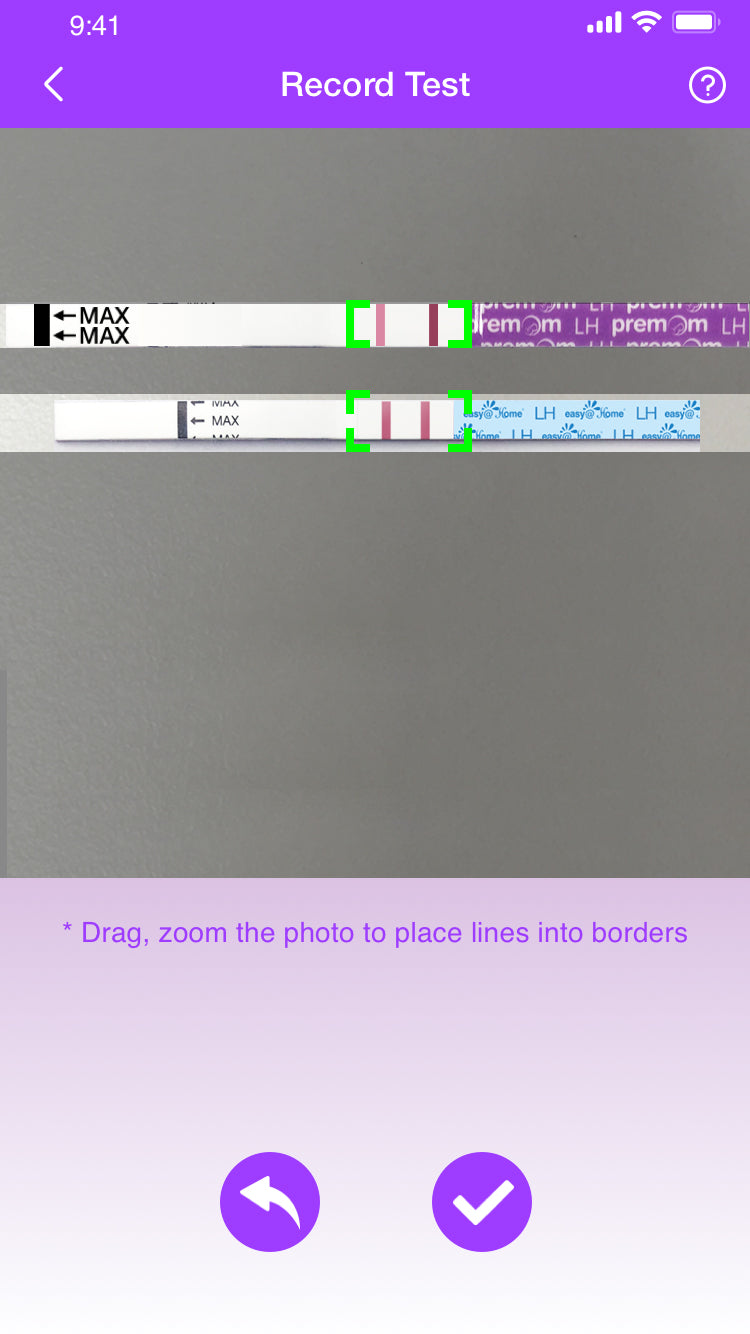
The Premom digital reader is a hit! Just as in any testing and tracking: above all, consistency in your practice is key. Here are some tips from the Premom Team AND from our “Get Pregnant Fast with Premom” Facebook Group to get your best ovulation test result readings.
Tips from the Premom Team:
( C= Control & T=Test )
Perfectly within brackets:

- Take the picture at 5-10 minutes, after testing, to get the clearest test window.
- Make sure your C Line, T line, and strip are within the green brackets, and the test strip fits snuggly inside the frame.
Too high:

Too low:

C Line Outside:

T Line Outside:

Too small:

- Make sure the C line is first, and the T line is second. (Make sure your strip is not reversed.)
Backwards:

- Make sure you have enough light. Also, keep your lighting and background as consistent as possible.
Not enough light:

Too much light:

Tips from Premom Users:
“I try to use the same background and lighting every time.”
“I put my phone on a cup (a camera “tripod”) to keep it really steady, then just zoom in when uploading it to the app.”
“I put my phone in a toothpaste holder that’s just the perfect height to keep the lines where they need to be. And I always put it on toilet paper, since it seems like different backgrounds can skew the picture.”
“I’ve found starting above the test and bringing it down slowly to align helps or it snaps too fast and is usually not in the box correctly.”
“I feel like lighting is everything with the app. You need to have a steady hand for a clear picture with a good amount of light (but not reflective) to get optimal results.”
“I like the auto-snap feature since I notice I have a less steady hand when trying to take it myself. The guide on the screen helps me align my strips. I try to take the photo in the same white light with a solid white background for consistency.”
Download Premom today and get your results read automatically! Your feedback is very important for our team to keep improving the app.
If you have any questions or suggestions, please send them to support@premom.com.
References
Johnson S, et al. Increased Likelihood of Pregnancy Using an App-Connected Ovulation Test System: A Randomized Controlled Trial. J Womens Health (Larchmt). 2020 Jan;29(1):84-90. doi: 10.1089/jwh.2019.7850. Epub 2019 Sep 4. PMID: 31483187; PMCID: PMC6983750.